Kuubo
A character on the desktop, an app next to it. You describe a need, it breaks it into steps, lays out the bricks, links them, and runs the tools. Everything runs on the machine. Nothing leaves.
A good designer
has good tools.
A great designer
makes their own.
Kuubo is mine.
This page was
made with it.
What’s it
for?
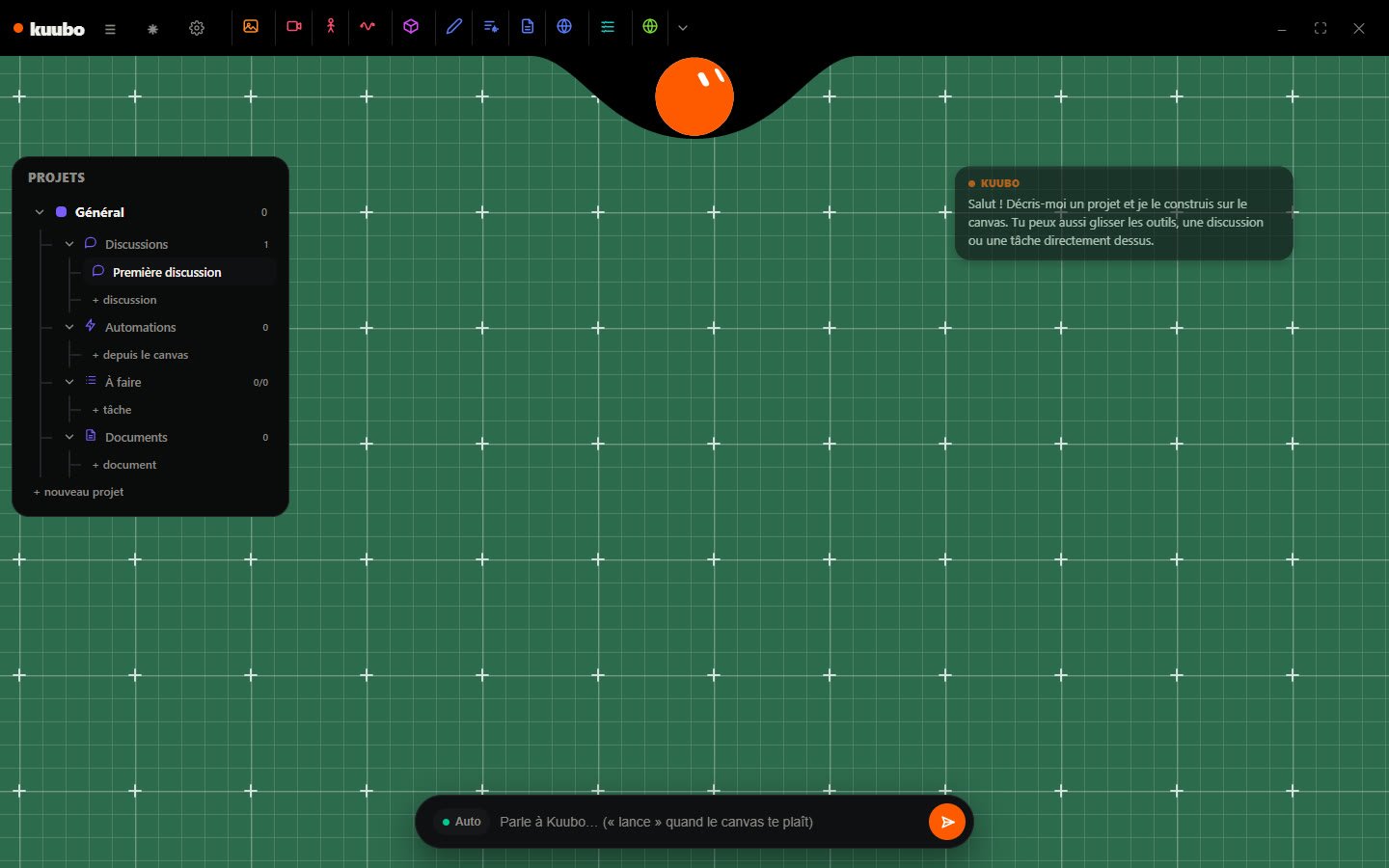
It’s the question I get asked the most. The short answer: to stop doing the same thing five times by hand. One brief, and the bricks* are laid out.
one tool, one file
What’s playing
over there
The dial stays put and turns. Whatever passes under the marker starts to play.
·
Two phones down,
or silence
One phone on the base isn’t enough. Without a second one, Halo doesn’t wake up, and silence is a valid answer.
The client cancels.
The afternoon falls through
He’s on the road, a hundred kilometers from headquarters. Thought of as a list, the route breaks. Thought of as a territory, it pulls itself back together.
Powered by AI*
It splits it up.
It lays it out.
leaves the PC
is the conversation
The bricks
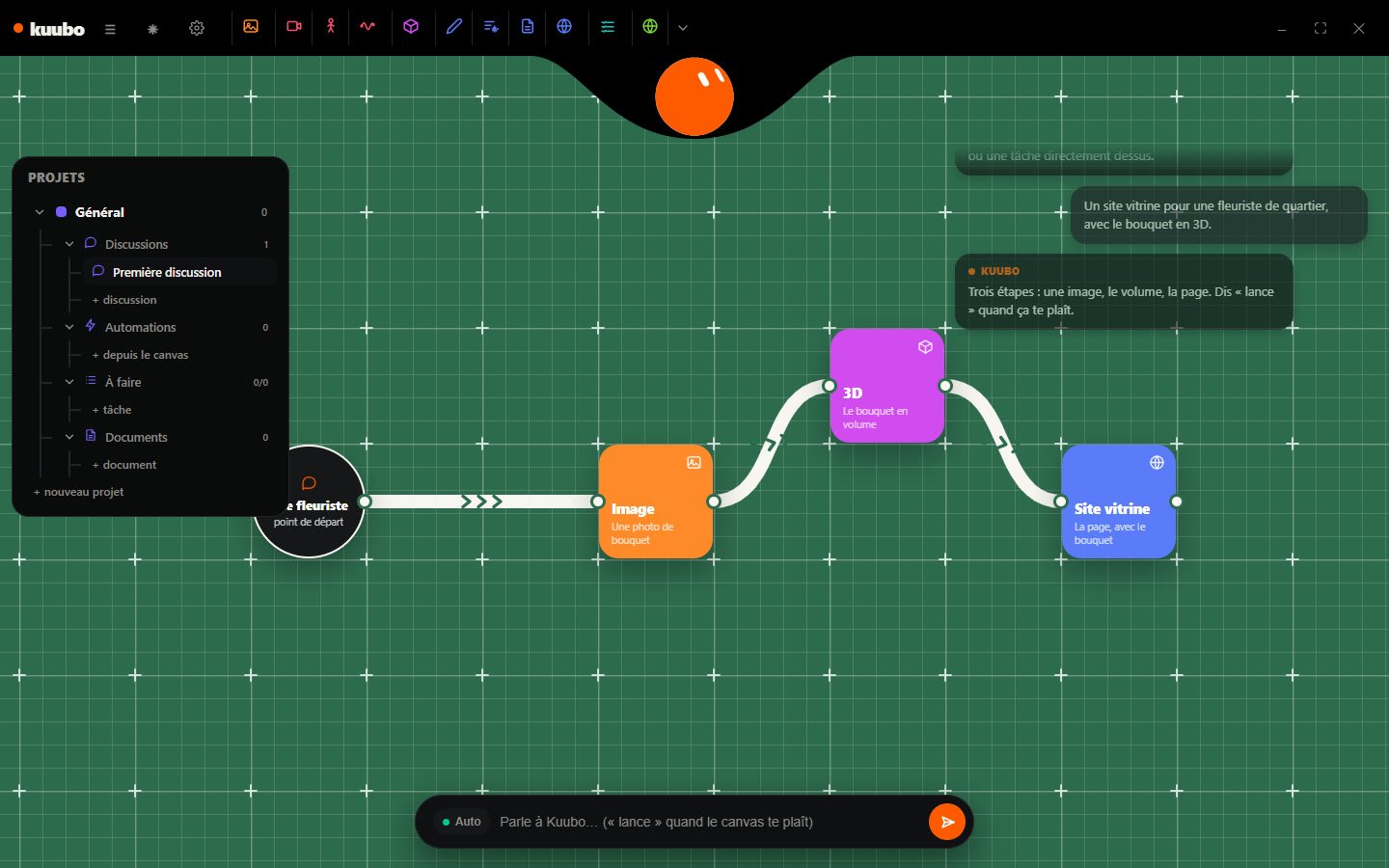
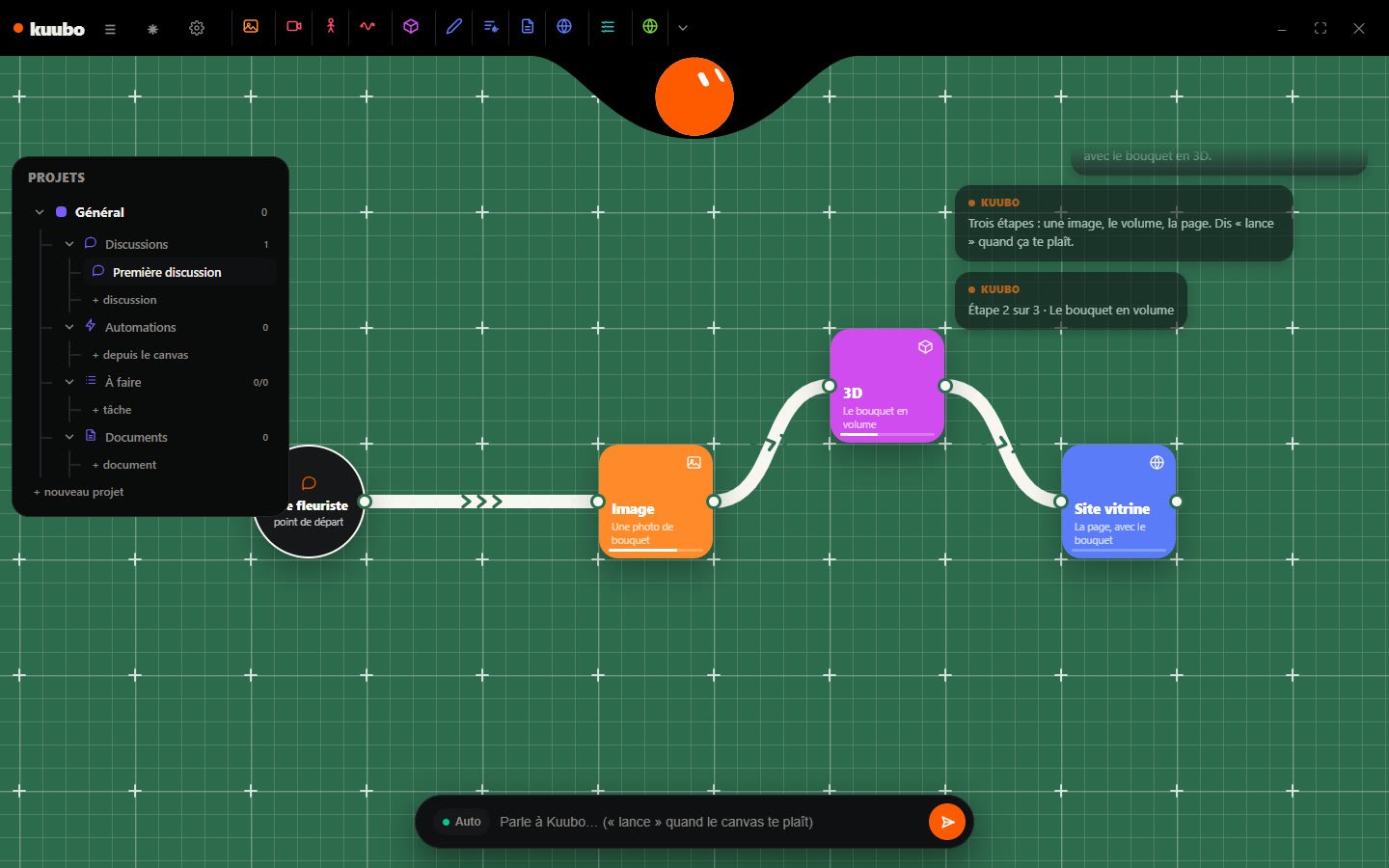
Each step is a brick: a tool, an instruction, a file at the end.
They move, link up, and get fixed by hand.
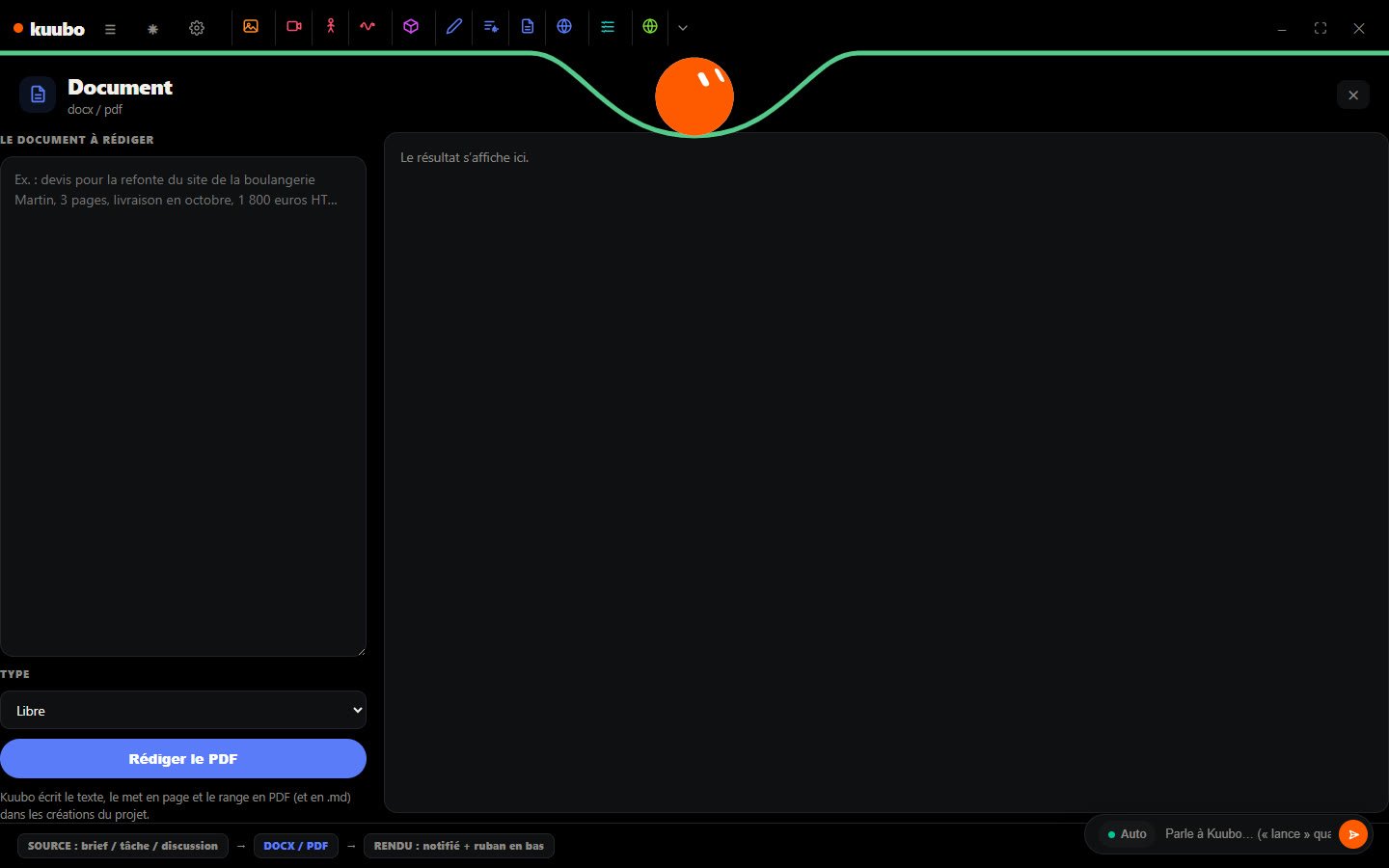
Kuubo doesn’t guess.
When it’s fuzzy, it asks a question.
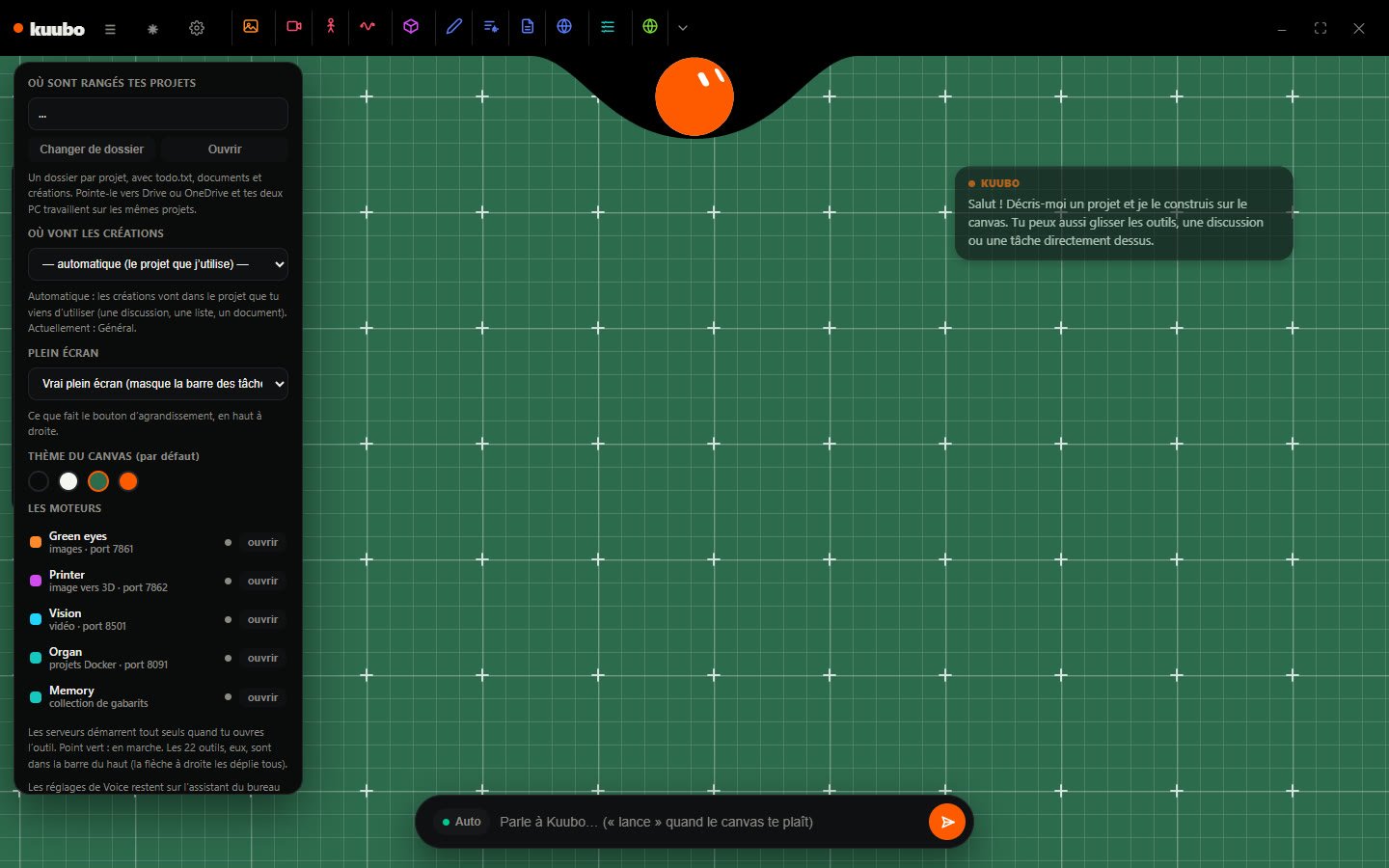
A sentence becomes a workflow: the tools it needs, in order, linked in a zigzag so the end reads at a glance. A deterministic rule goes before the model for clear cases; when it’s fuzzy, it asks a question instead of guessing.
Hold Right Ctrl and Right Shift in any app, talk, let go. Whisper transcribes on the graphics card and the text lands where your cursor was. An email, a message, a note: without switching windows.
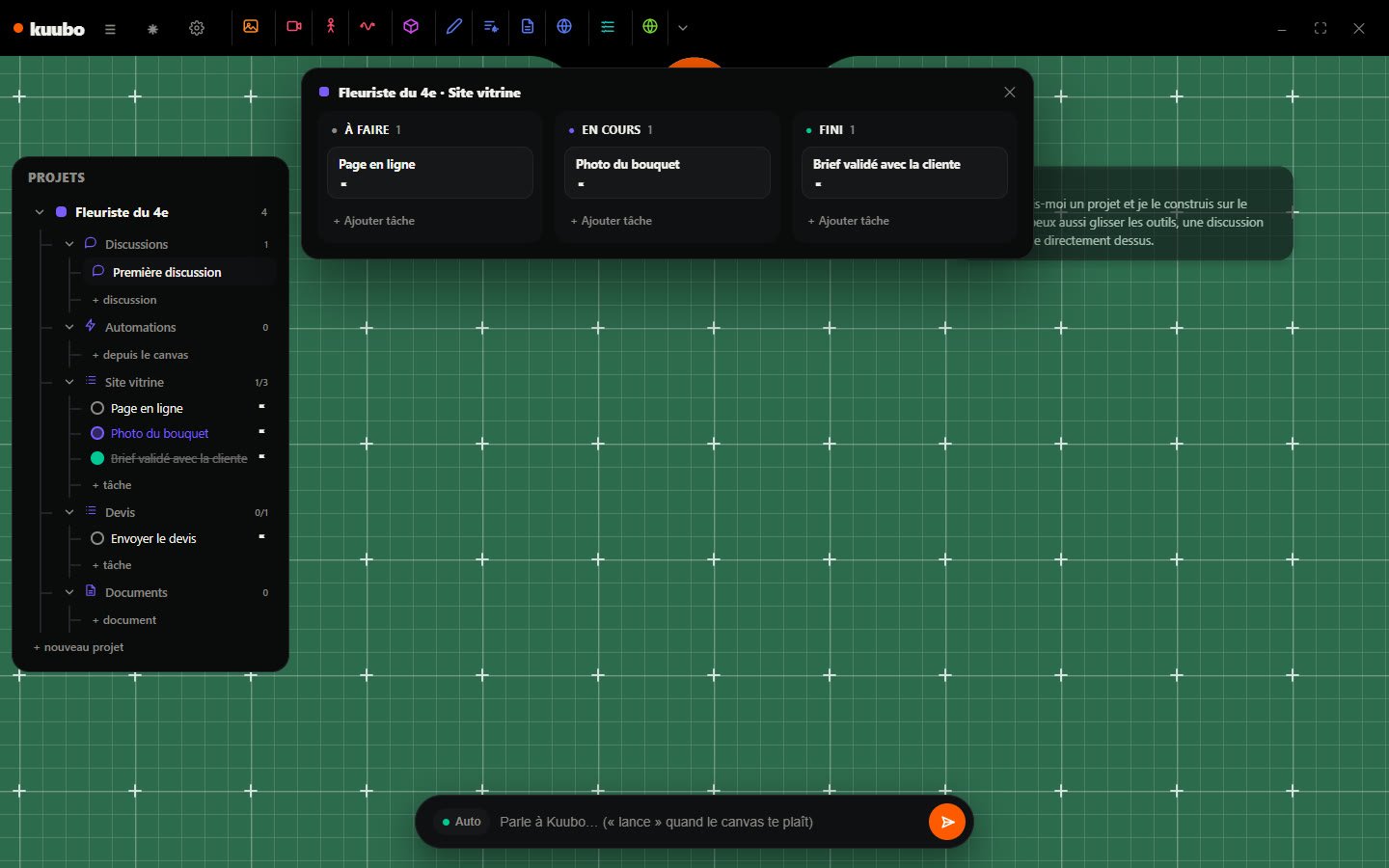
One folder per project: tasks, documents, chats and creations, in readable text, syncable between two PCs. Kuubo reads that folder before answering: it knows which project you mean.
Say it,
it lays it out
One need, one sentence. Kuubo breaks it into steps, lays them on the canvas and links them up. You adjust, then you say “go”.
You talk,
it’s typed
Hold both keys, talk, let go. The text lands where your cursor was.
Your apartment
is the playlist
Each cube holds a track. Put them wherever you like, move them around, they’re yours. Then you point: whatever is in line plays, the rest stays quiet.
The ball
follows you
The cursor is you. The orange dot is your appointment. The object never tells you which way to go: the ball points at the goal, and its distance from the center tells you how far is left. You have time to spare. Spend it.
Weave
a fabric of thought
The AI never gives the answer. It asks the next question. Each answer becomes a mass on the canvas, and the fabric takes shape.
Turn,
and aim
Slid upright into the wall mount, the phone becomes a steering wheel. You turn it, the waves sweep the room, and you only hear what you have in common with whatever is over there.
The pocket
lab
The viewfinder is you. Frame whatever intrigues you: the camera asks you a question, you answer, and your answer prints as a sticker.
Twelve
seconds
The cursor is you. Step onto the road and you leave your footprints on it. The light is red, a few seconds to go. You can cross right now. You can also wait, and see what it costs.
What got
thrown out
Kuubo wasn’t born a canvas. It first walked across the screen, then sat down in the top right corner, before becoming an app. Click to go back through the versions.
The map
Drop
a beacon
Pick a place, a duration, an area. Your track plays there, quietly, for whoever walks by.
Everything runs on the machine: the language model, transcription, 3D, images. What you dictate at 10 p.m. is read by no one. And it works on the train.
Gigabytes
of video memory
qwen 2.5 to understand and write, Whisper large-v3 turbo to hear, TripoSR for 3D, Flux for images. It all fits in six gigabytes, not one more.
Seconds
to answer
Two seconds for a short answer, a bit less to transcribe twenty-two seconds of speech. Measured here, not promised.
What Kuubo says
while it works
It never says “done” without delivering: every step leaves a file, and anything not hooked up gets skipped, out loud.
“What’s it
for?”
The questions I got while showing Kuubo, and what I ended up answering.


A character,
not a chatbot


Say it,
it lays it out


Talk,
let go

Filed
away

It works
on the train
Three ways
to use it
Organize
Projects, lists, today’s tasks, documents and chats, stored in a folder you can read without Kuubo. And Kuubo reads that folder: when you talk to it, it knows which project you mean.
- ✓One folder per project, in plain text
- ✓Today’s to-do on the island
- ✓Syncs between two PCs
1.8 s
To transcribe twenty-two seconds of speech, with Whisper kept in video memory.
2 s
For a short answer from the local model. The optional online brain takes longer.
22 tools
In the bar, by family. The ones not hooked up say so.
Abstract
Kuubo is an Electron application: three transparent windows for the character, one for the app. The language model runs through Ollama, voice through a local engine, 3D through three.js. One online dependency, optional: a bigger brain when local isn’t enough, with automatic fallback.
Acknowledgments
This page was put together locally by Thibauld, with Kuubo alongside.
Peer review
“The day I could answer ‘what’s it for’ was the day I stopped explaining it and showed it.”
Thibauld, September 2026
BibTeX
@misc{kuubo2026,
  title        = {Kuubo: a local desktop assistant and workflow canvas},
  author       = {Burin, Thibauld},
  year         = {2026},
  howpublished = {Electron, Ollama, Whisper. Lyon}
}What people
ask me
The five questions that come up when I show it. The answers are short, like the questions.
Because a tool you look at all day has to be likable. The face says what it’s doing: listening, thinking, done. And a right-click opens the menu: not one more icon in the taskbar.
On the PC, entirely. Ollama for the language model, a local engine for Whisper, 3D and images on the graphics card. Offline, everything works, except the online brain, which is optional.
No. It replaces the five times the designer redoes the same layout, the same email, the same export. The brief, the choice and the corrections stay manual, on the canvas.
None of them thinks in projects, bricks and filed files all at once. And above all: building it means understanding what you expect from a tool. That’s half the job.
It lays out bricks you can see before you say go. A deterministic rule goes before the model for clear cases, and when it’s fuzzy it asks a question instead of guessing.

You’ve just seen an orange character. Behind it, there was a workshop.
A good designer has good tools. A great designer makes their own.
Write to Thibauldwith love ♥
if you like it
drop your film into
media/video-01.mp4